
Our own products
We don't only build for clients. We ship our own.
Three products, designed, secured and operated by the same team that builds for clients. Every screen below comes from the product itself — and says exactly what you're looking at.
See each product working
The Market Data front end for affordable-housing studies
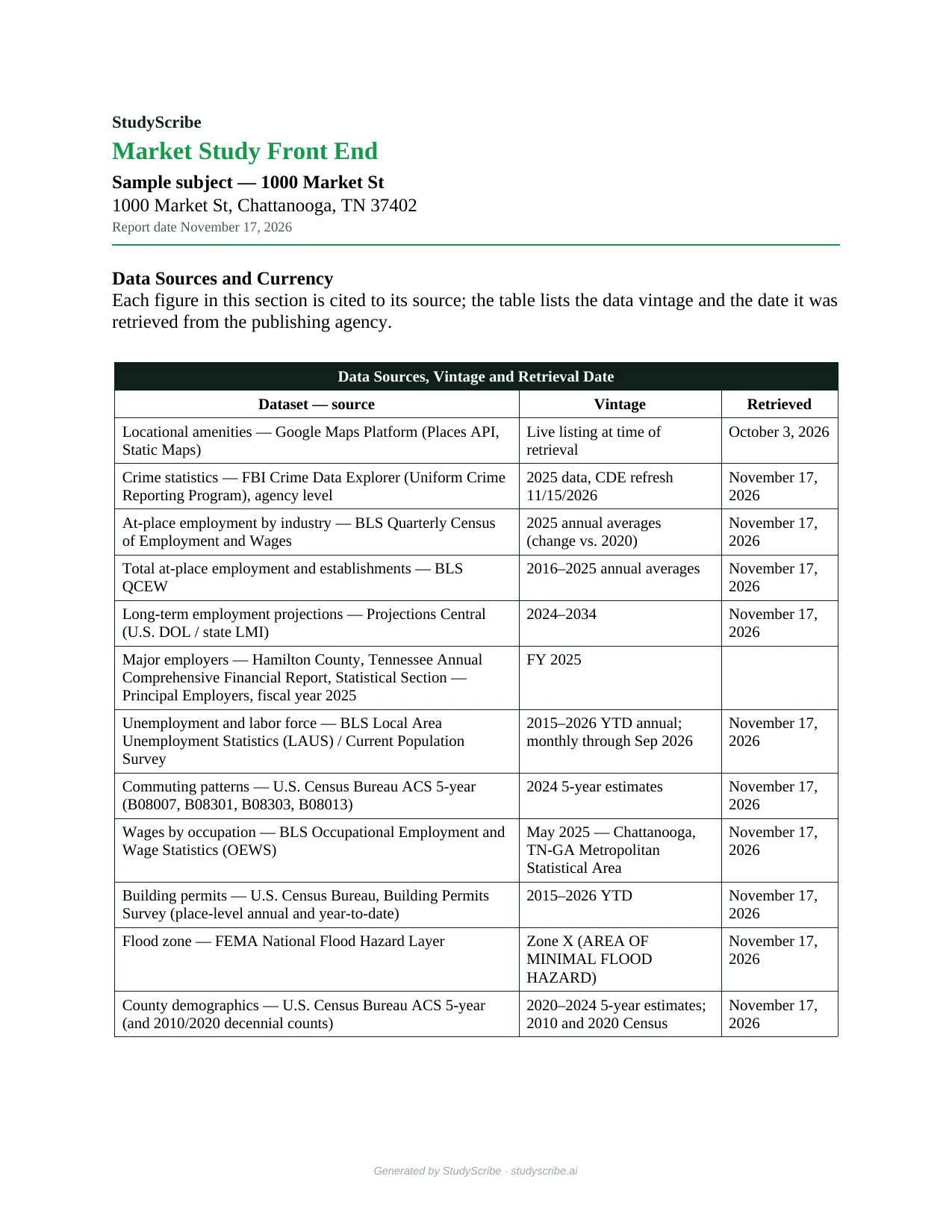
Type a property address and 13 official sources auto-fill in real time — BLS, the Census Bureau, FBI crime data, Projections Central, NCES, FEMA and state demographers’ county projections. Review each tab, then export the front end of the study as a Word document: 20 tables, charts and maps, every one cited with its data vintage and retrieval date.
- 100% of figures cited to source — if an agency hasn't published one, the cell stays blank rather than being estimated
- LIHTC, HOME, HTF, RAD, HUD 202/221(d)(4)/223(f)/811/232 and USDA 515/538/514 projects
- Invite-only — your account starts with one free report
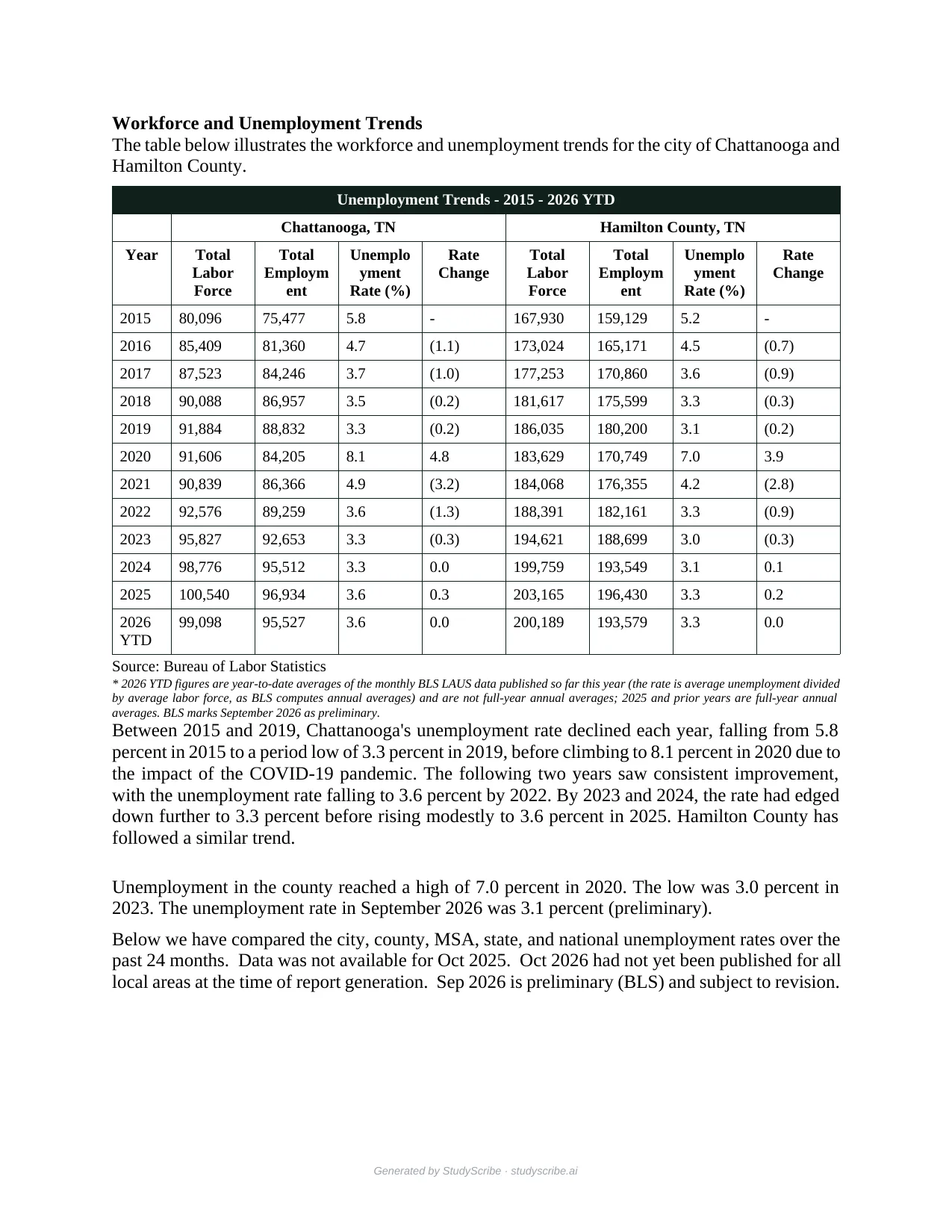
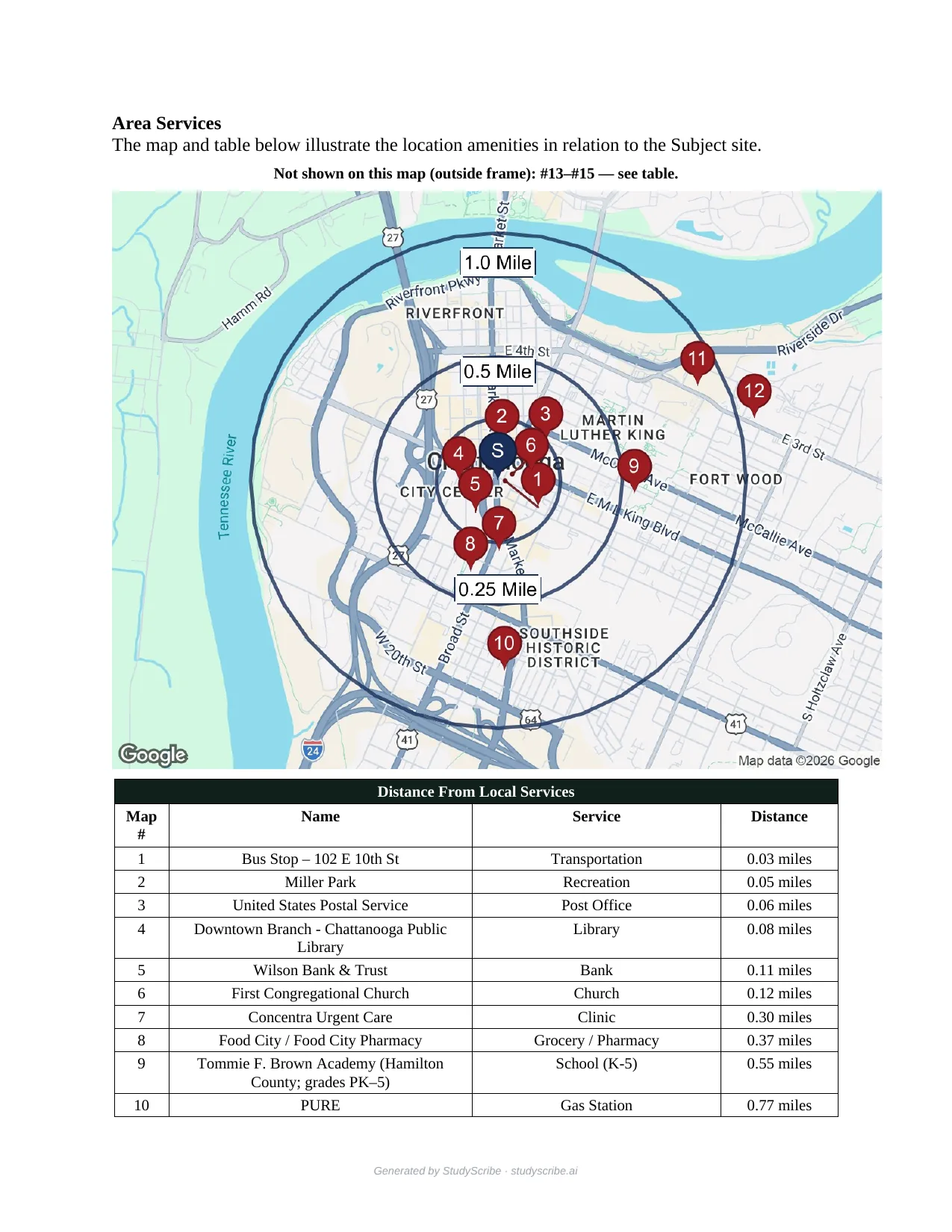
On screen: three pages from the sample StudyScribe generated on November 17, 2026 for a downtown Chattanooga address — the source table with each dataset's vintage and retrieval date, the area-services map (Google Maps Platform), and BLS unemployment from 2015 through 2026 year to date. The sample also carries Demographics, with Tennessee's official county population projections.

Cross-fleet early warning for IT
Your monitoring tools see one device fail and open one ticket. Crosswatch watches the whole fleet and detects when a failure is the leading edge of something spreading across clients — then recommends the fix. Read-only and advisory by design.
- Vendor-neutral — works with one RMM or many
- Correlates patches, backups, certs, sign-ins & more
- Read-only: detect & recommend, you approve in your RMM
On screen: the Crosswatch demo workspace — one bad patch caught across four clients, with five sources in one view (NinjaOne, Datto RMM, Kaseya VSA, ConnectWise and Microsoft Intune) and the incident's timeline, blast radius and recommended fix. NorthStar IT is a fictional MSP and the screen is marked Demo Data; the detection engine running it is the real one.
Client onboarding & secure document collection
New-client intake at tax and accounting firms still runs on paper and fillable PDFs — up to ten Social Security numbers per household in plain text, the same details retyped across three forms, and no consent, checklist, or audit trail anywhere. QaswaVault replaces that with an intake that adapts as the client answers and a review workflow the firm controls end to end.
- Conditional intake — answer "I own a business" and the business section and its document request appear
- Identifiers encrypted on save and masked on screen; every reveal is permission-checked and written to a hash-chained audit log
- A privacy center showing clients who viewed their data, and an evidence pack for the firm's FTC Safeguards / WISP file
On screen: a one-minute walkthrough recorded in the QaswaVault demo with sample data — the firm's pipeline, one intake under review with identifiers masked, and the client's own view of who has seen their information. The demo runs in your browser; nothing is saved or sent.
Want something like this built for your team?
The same people who run these products build platforms for clients, inside the client's own cloud. Tell us what your team repeats every week.